Captured October 19, 2026 at 1440px wide.
Expensify plans and prices
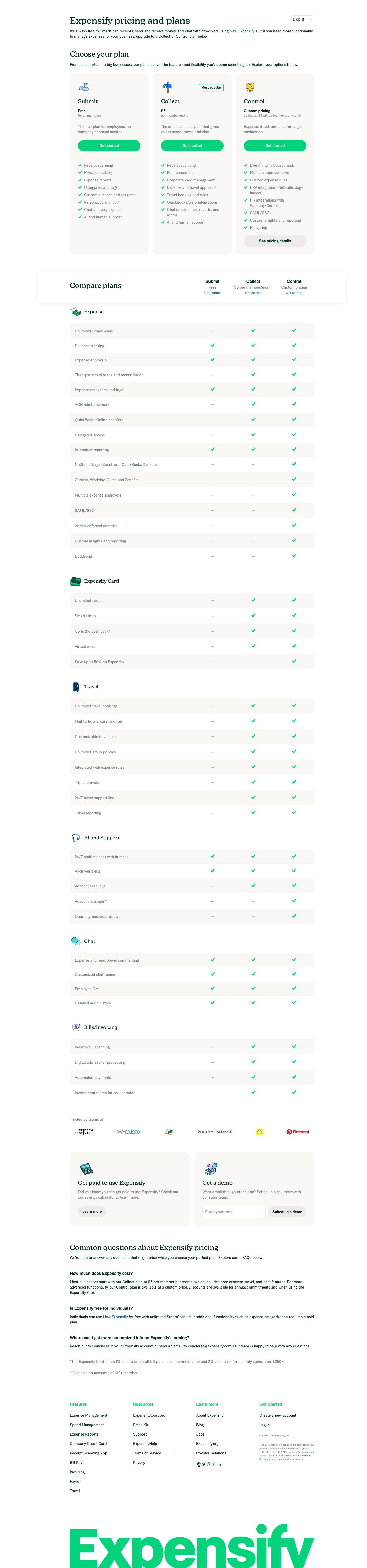
| Plan | Price | Billing |
|---|---|---|
| SubmitThe free plan for employees, no company approval needed. | Free | for all members |
| CollectHighlightedThe small business plan that gives you expense, travel, and chat. | $5 | per member/month |
| ControlExpense, travel, and chat for larger businesses. | Custom pricing | as low as $9 per active member/month |
As printed on the page captured October 19, 2026.
How does Expensify pricing work?
The member is the value metric, and the plans are built around who files expenses and who manages them. Submit is 'Free for all members', 'The free plan for employees, no company approval needed', with 'Receipt scanning', 'Mileage tracking' and 'Expense reports'. Collect is '$5 per member/month', 'The small business plan that gives you expense, travel, and chat', adding 'Reimbursements', 'Corporate card management', 'Travel booking and rules' and 'QuickBooks/Xero integrations'. Control is 'Custom pricing as low as $9 per active member/month' and adds 'Multiple approval flows', 'ERP integration (NetSuite, Sage Intacct)', 'HR integrations with Workday/Certinia', 'SAML/SSO' and 'Budgeting'. The gates follow the finance stack: accounting software on Collect, ERP and HR systems on Control.
The motion is self-serve with a sales-shaped top. Every card and every column of the comparison header says 'Get started', Collect carries 'Most popular', and Control adds 'See pricing details' beside its custom price. The page opens on 'Expensify pricing and plans' with a currency selector for USD, GBP, AUD, NZD and EUR, and states that "It's always free to SmartScan receipts, send and receive money, and chat with coworkers". It then moves through three cards, a 'Compare plans' table grouped into Expense, Expensify Card, Travel, AI and Support, Chat and Bills/Invoicing, customer logos from Tribeca Festival to Pinterest, a 'Get paid to use Expensify' card, a 'Get a demo' card with 'Schedule a demo', and three FAQs.
Under the hood the card is part of the pricing. 'Save up to 50% on Expensify' is checked for Control in the Expensify Card group, and the FAQ says 'Discounts are available for annual commitments and when using the Expensify Card', so card spend lowers the subscription price. That points to card interchange funding part of the software bill. The card pays the customer too: the footnote reads '1% cash back on all US purchases (no minimums) and 2% cash back for monthly spend over $250K'. Control bills per 'active member', the people who use Expensify in a given month, and prints a floor while the final rate is set with sales. Service scales with the account: 'Account manager**' resolves to 'Available on accounts of 100+ members'. Worth borrowing is the way a second revenue line, card spend, becomes a discount the buyer can see on the pricing page.
What does Expensify's pricing page do well?
- A currency selector beside the headline, USD, GBP, AUD, NZD and EUR, shows prices in the buyer's own currency
- The free Submit plan is built for employees, 'no company approval needed', so the person filing expenses can start before the company buys
- The 'Compare plans' header restates each plan's price with a 'Get started' link above the table
- Footnotes put the fine print in numbers: '2% cash back for monthly spend over $250K' and 'Available on accounts of 100+ members'
- Every Chat row is checked on all three plans, so collaboration on expenses is part of the free product
What does Expensify's pricing page reveal about its pricing strategy?
- Card spend lowers the subscription: 'Save up to 50% on Expensify' on Control and discounts 'when using the Expensify Card' tie two revenue lines together
- Control bills per 'active member', so the seat count follows monthly activity
- A free plan for submitters is a land-and-expand path: employees bring receipts in, and the company upgrades to approve and reimburse them
- Control prints a floor, 'as low as $9 per active member/month', and keeps the final rate custom, which gives sales room on volume, term and card usage
- Integrations mark the tiers: QuickBooks and Xero on Collect, NetSuite, Sage Intacct and Workday on Control
Learn with Orb
- Guide8 SaaS pricing models: how to choose one Expensify charges $5 per member/month on Collect and from $9 per active member/month on Control, a seat that bills on activity; Orb's CEO covers per seat, usage-based and hybrid models and how to choose among them.
- GuideAn expert's guide to enterprise pricing for SaaS Control is 'Custom pricing' with a printed floor, and the FAQ names annual commitments and Expensify Card use as the discount levers; Orb's guide covers what to weigh when prices are set deal by deal.
- Guide8 SaaS pricing best practices with concrete examples Submit is free for employees with 'no company approval needed', while reimbursements, approvals and accounting integrations wait on Collect; Orb's best practices cover free plans generous enough to attract users and limited enough to prompt an upgrade.
Questions about Expensify pricing
How much does Expensify cost?
Expensify's pricing starts at $5/member/mo. The page shows 3 plans, including a free plan, with the top plan priced through sales.
What pricing model does Expensify use?
Expensify prices per seat. Buyers can sign up on their own or go through the sales team. Its plans are aimed mainly at small businesses.
Does Expensify have a free plan?
Yes, Expensify has a free plan. Paid plans start at $5/member/mo.
Does Expensify offer an annual discount?
Expensify's pricing page shows a single billing period. The listed prices start at $5/member/mo. Terms for the plans priced through sales are set with the sales team.
How is Expensify's pricing page laid out?
The page shows 3 plans, highlights Collect, and includes a comparison table and an FAQ. The breakdown above marks 14 points on it: 5 things it does well and 9 insights into the pricing.
How does the Expensify Card lower the cost of an Expensify subscription?
The pricing page lists "Save up to 50% on Expensify" in the Expensify Card section of its Compare plans table. The pricing FAQ adds that "Discounts are available for annual commitments and when using the Expensify Card", so spending on the card can bring the subscription price down. A "Get paid to use Expensify" section points buyers to a savings calculator to estimate the benefit.
How much cash back does the Expensify Card earn?
The Expensify Card offers "Up to 2% cash back" according to the Compare plans table. The footnote spells out the tiers: "1% cash back on all US purchases (no minimums) and 2% cash back for monthly spend over $250K." The card section also includes unlimited cards, Smart Limits and virtual cards.
When does an Expensify account get a dedicated account manager?
Expensify lists an account manager in the AI and Support section of its plan comparison, with a footnote that reads "Available on accounts of 100+ members." The same section includes 24/7 realtime chat with humans, AI-driven alerts, an account executive and quarterly business reviews. For tailored pricing questions, the page directs buyers to Concierge in their account or to concierge@expensify.com.
From the page as captured October 19, 2026. Current prices are on expensify.com
Deel
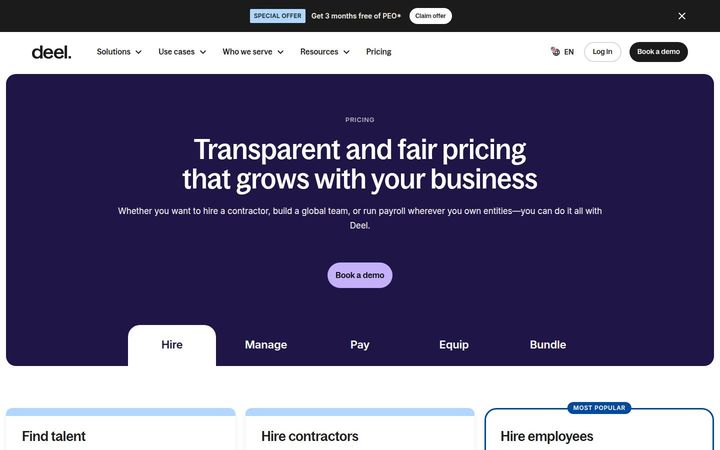
From $14/worker/moDeel prices per worker, and the price climbs with how much employment risk Deel takes on: starting at $14 per worker per month to source, $49 to manage and pay a contractor, $325 for a contractor of record, $125 for a US PEO employee and $599 for an EOR employee. Every rate carries a 'Starting at' label, so the five printed figures under 'Transparent and fair pricing that grows with your business' are floors, with the final rate set per country and per hire. Every card leads to 'Book a demo', since each hire involves contracts, benefits and compliance in a specific country.

Remote
$29/employee/moRemote prices per person employed or paid, and the rate climbs with how much legal responsibility Remote carries: $29 per month to run payroll or manage a contractor, $99 for a US PEO employee or a contractor with indemnity, $325 for a contractor of record and $599 for an employee of record. Six products each print a 'Starting at' price, every card leads to 'Book a demo', and each one closes on the same line, 'Remote Platform included, no base fee'.
Rippling
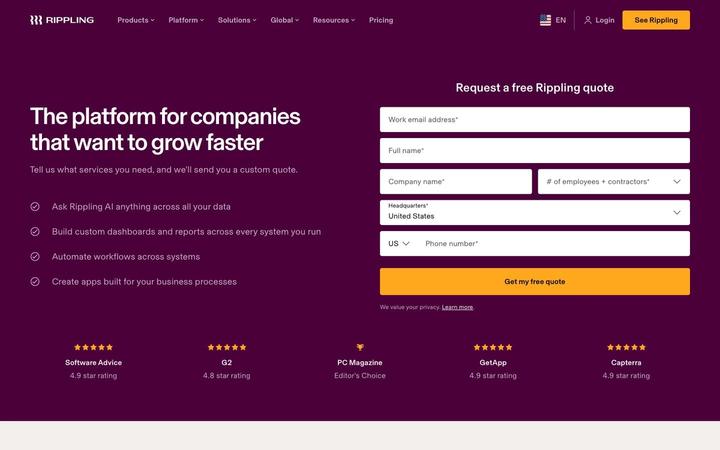
QuoteRippling's pricing page is a quote request: 'Tell us what services you need, and we'll send you a custom quote.' The form asks for headcount in five bands and a headquarters country, the two inputs a modular HR, IT, payroll and finance suite needs to build a price, and the page backs the ask with third-party ratings and named customer results.