How Qdrant prices

Captured September 19, 2026 at 1440px wide.
Qdrant plans and prices
| Plan | Price |
|---|---|
| Free TierFor testing, and prototypes | Free forever |
| Standard TierHighlightedFor production workloads and scaling applications | Usage-based pricing |
| Premium TierFor enterprises with additional security and compliance needs | Minimum spend required |
As printed on the page captured September 19, 2026.
How does Qdrant pricing work?
The value metric is infrastructure itself. The FAQ spells it out: 'You're charged for compute (vCPU), memory (GB), storage (GB) consumed by your clusters, storage (GB) consumed by backups, and used inference tokens of paid models. Usage is billed hourly.' Another answer puts it in one line: 'if you have a bigger cluster, you pay for more.' Packaging follows the size and the stakes of a deployment. Free Tier is 'Free forever' with a 'Single Node Cluster' of '0.5 vCPU / 1GB RAM/ 4 GB Disk.', Standard Tier is 'Usage-based pricing' for production workloads, and Premium Tier carries 'Minimum spend required' with SSO, Private VPC Links and a '99.9% Uptime SLA'. A developer already knows how big their cluster is, so a resource meter is a unit they can reason about on day one.
The motion runs both ways from the hero, where 'Talk to our Team' sits beside 'Try our Pricing Calculator'. A Managed and On-Premise switch above the cards sets the deployment model before the tier. Standard is the filled 'Deploy on Cloud' card and also offers 'Subscribe on Marketplace.' with AWS, Google Cloud and Azure badges, and Premium routes to 'Talk to Our Engineers'. Below sit a calculator band, a Features by Tier table with an OSS column, an Enterprise Support matrix, a six-question FAQ and a closing 'Start Building for Free'. The page signals a company that sizes production deals alongside the buyer, with an engineer on the other side of the conversation.
Under the hood, Standard is a rate table on five dimensions billed hourly, the same model a cloud provider uses for virtual machines, and the calculator converts a cluster size into those rates. Premium's minimum spend is a commitment floor, which gives the sales team a base to build a contract around and room to set volume pricing and support above it. Support is its own ladder with a Price row that reads 'Free', 'Included with Paid Tier' and 'On Request' for Premium and Enterprise, so the highest support levels are priced per deal. Marketplace billing lets a buyer draw down committed cloud spend, and the OSS column positions the managed service against Qdrant's own open-source engine. Worth borrowing: describe the free tier in the units you bill on.
What does Qdrant's pricing page do well?
- The Free Tier is specified in billing units, '0.5 vCPU / 1GB RAM/ 4 GB Disk.' plus 'Free Cloud Inference With Selected Models', so a developer can size a prototype against it
- A Managed and On-Premise switch above the cards settles the deployment model before any tier is read
- An OSS column in Features by Tier shows a self-hosting developer exactly what the managed service adds
- Support levels differ by measurable promises: '10h/day (Business Hours)' against '24/7, 365', and a Severity 1 response of '4h (Business Hours)' against '1h (24/7)'
- The FAQ names all five metered dimensions and the hourly billing period in one answer
What does Qdrant's pricing page reveal about its pricing strategy?
- A resource-based value metric: vCPU, memory, cluster storage, backup storage and paid inference tokens, billed hourly
- Premium's 'Minimum spend required' works as a commitment floor that anchors an enterprise contract
- Marketplace subscription on AWS, Google Cloud and Azure lets a buyer spend down an existing cloud commitment
- Support is priced on its own ladder, with Premium and Enterprise support set per deal
- The OSS column frames the managed tiers against Qdrant's own open-source engine, the classic open-core conversion path
Learn with Orb
- GuideMigrating from subscriptions to usage-based billing Qdrant meters clusters hourly on compute, memory, storage and backups; Orb's guide covers billing a cloud product for compute, storage and bandwidth as each customer's consumption varies.
- ProductExperience Kit Dollar figures live in a dedicated pricing calculator linked from the tiers; Experience Kit builds calculators on one source of pricing truth, so the estimate and the bill share the same rates.
- DocsConfiguring plans: minimums and plan phases Premium's minimum spend works as a commitment floor under hourly usage; Orb represents that floor as a minimum, adding the difference to the invoice when usage comes in below it.
Questions about Qdrant pricing
How much does Qdrant cost?
Qdrant prices its plans through its sales team, so the pricing page lists no starting price. The page shows 3 plans, including a free plan.
What pricing model does Qdrant use?
Qdrant prices by usage, combined with quoted plans. Buyers can sign up on their own or go through the sales team. Its plans are aimed mainly at developers.
Does Qdrant have a free plan?
Yes, Qdrant has a free plan. Plans are priced through the sales team.
Does Qdrant offer an annual discount?
Qdrant's pricing page shows a single billing period. Terms for the plans priced through sales are set with the sales team.
How is Qdrant's pricing page laid out?
The page shows 3 plans, highlights Standard Tier, and includes a comparison table and an FAQ. The breakdown above marks 14 points on it: 6 things it does well and 8 insights into the pricing.
What happens if I exceed the Qdrant Free Tier limits?
The Qdrant Free Tier is a single node cluster limited to 1GB RAM and 4GB disk, built for testing and prototypes. If your data size grows past those limits, the page says "you can easily upgrade to a Standard Tier and scale up your cluster." Standard Tier adds dedicated resources, flexible vertical and horizontal scaling, backup and disaster recovery, and a "99.5% Uptime SLA" for production workloads.
What support levels and response times come with Qdrant Cloud paid tiers?
Qdrant offers support on its own ladder: Community is "Free", Standard is "Included with Paid Tier", and Premium and Enterprise are "On Request". Standard support covers "10h/day (Business Hours)" with a Severity 1 response of "4h (Business Hours)", and Premium offers "24/7, 365" helpdesk hours with a Severity 1 response of "1h (24/7)". Enterprise support comes with a custom uptime SLA and custom response SLA, plus an optional Forward Deployed Engineer add-on.
Can I migrate from Qdrant open source to Qdrant Cloud?
Yes, Qdrant states that "you can easily migrate your existing Qdrant OSS deployment to Qdrant Cloud." The company provides a migration tool and documentation to help with the transition. The Features by Tier table includes an OSS column, so a self-hosting team can compare what each managed tier adds, and Qdrant's support matrix lists Migration Support among its advisory services.
From the page as captured September 19, 2026. Current prices are on qdrant.tech
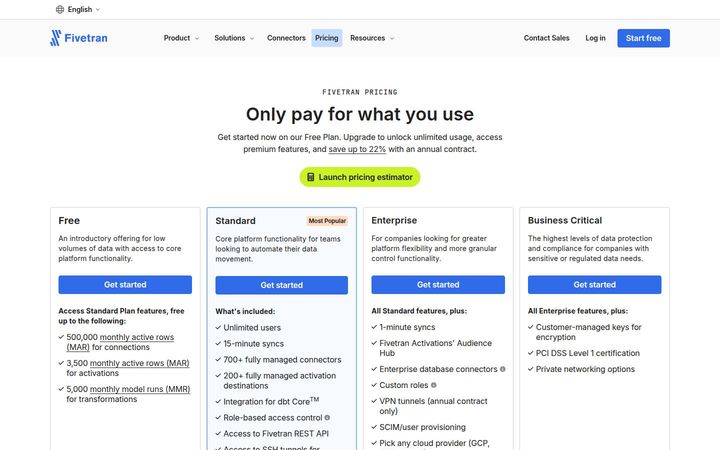
Fivetran
QuoteFivetran meters three products, Connections, Transformations and Activations, on monthly active rows and monthly model runs, and sells them under one plan with consolidated usage-based pricing. The four plan cards separate capability, and the dollars arrive through a pricing estimator and a worked example that totals four named connectors to $511.15.
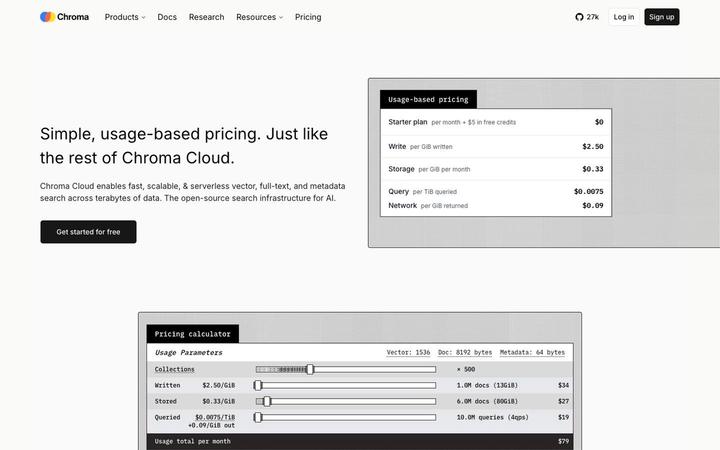
Chroma
$250/mo + usageChroma prints all four metered rates in the hero, Write at $2.50 per GiB, Storage at $0.33 per GiB per month, Query at $0.0075 per TiB and Network at $0.09 per GiB returned, then hands the reader a calculator that turns documents and queries into a $79 monthly total. Plans sit on top of the meter: Starter at $0 plus usage, Team at $250 a month plus usage with $100 in credits, and Enterprise on custom terms.
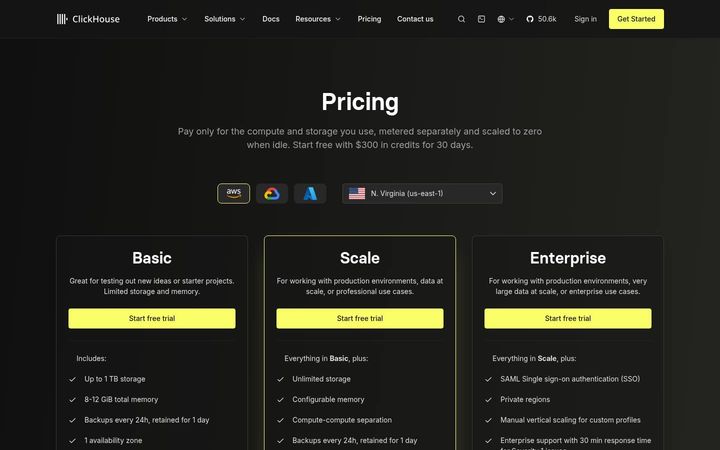
ClickHouse
$0.2181/compute unit/hrClickHouse opens with its model in one line, 'Pay only for the compute and storage you use, metered separately and scaled to zero when idle.', sets the cloud and region, then gives every tier the same two meters: storage flat at '$25.30 Per 1TB / mo' and compute at $0.2181, $0.2985 and $0.3903 per unit per hour. The estimator opens pre-filled with a 1 TB real-time analytics workload at '$658' a month, and an eight-question FAQ explains each line that can appear on the bill.
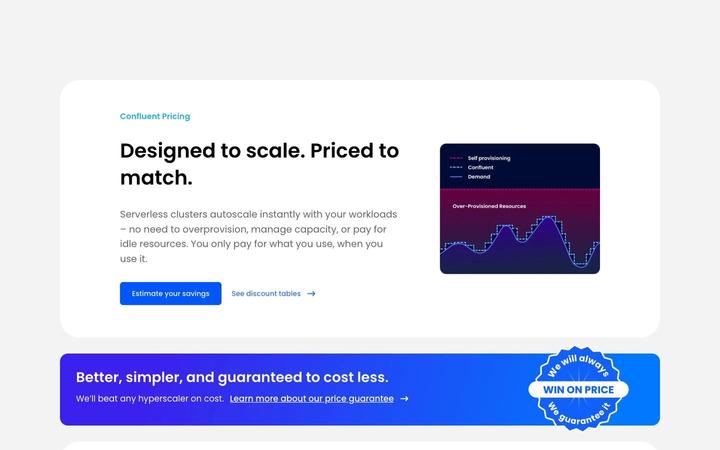
Confluent
~$385/moConfluent prices serverless Kafka on a composite meter, eCKU-hours plus data in and out per GB plus storage per GB-month, and closes its rate table with an 'Estimated Monthly Starting Cost' of $0, $385, $895 and $2,300 that turns an hourly unit into a budget number. Behind it sit two discount structures and an annual commitment that can be spent across the whole Confluent Cloud stack.

CoreWeave
From $6.50/instance/hrCoreWeave publishes a full rate card: twelve GPU instance types and ten CPU types, each priced per hour on-demand and spot for North America and Europe, then storage, networking, Direct Connect and managed Kubernetes. The unit is a fully specified instance-hour, with GPU count, VRAM, vCPUs, system RAM and local storage printed beside every rate. Reserved capacity, the newest silicon and every next step run through the sales team, which is where a GPU cloud shapes committed deals.
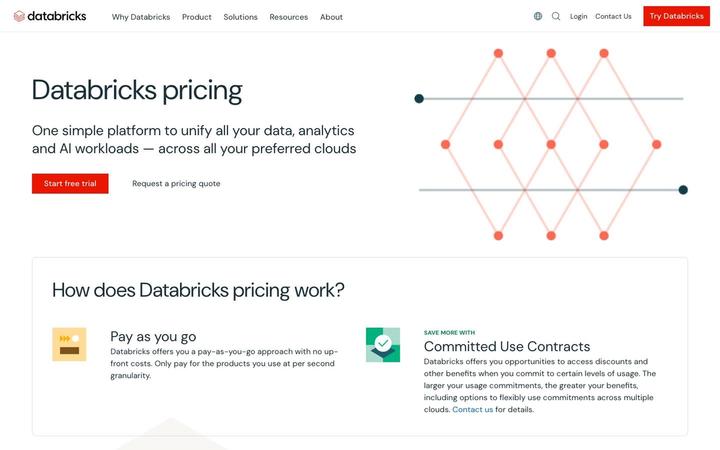
Databricks
From $0.069/CUDatabricks prices a whole data platform on one consumption unit, the DBU, with seven workload tiles that each print a 'Starting at' rate and link to a full SKU price list. Billing runs 'at per second granularity' on pay-as-you-go, and Committed Use Contracts trade larger commitments for discounts that can flex across clouds. The page works as the front door to a rate table, organized by the job a customer is doing.